UbuntuConfig is a personal dotfiles repo for shell, terminal multiplexer, editors, and IDE settings—easy to sync across Linux and macOS without a heavy framework.
Neovim is configured on top of LazyVim, powered by lazy.nvim, so you get sensible defaults plus room to extend. Other pieces are plain Vim, Zsh, and Tmux configs you can drop in or symlink as you like.
- 🐚 Zsh — Oh My Zsh–based
zshrc(theme, plugins, PATH) - 🪟 Tmux — prefix, splits, history, and workflow tweaks in
tmux.conf - ✏️ Vim —
vimrc - 🚀 Neovim — LazyVim-style layout under
nvim/(seenvim/README.md) - 🧩 VS Code / Cursor —
settings.jsonandkeybindings.json, plus a small script for macOS keymaps
- Git — to clone this repo
- Zsh, Oh My Zsh — if you use the bundled
zshrc - Tmux
- Neovim — LazyVim expects Neovim ≥ 0.11.2 (built with LuaJIT); see LazyVim requirements
- fzf — fuzzy finder, sourced in
zshrcvia~/.fzf.zsh - thefuck — command corrector, aliased as
fuck/caoinzshrc
Configs load from their usual locations once symlinked; you do not need a custom loader for shell/tmux/vim.
UbuntuConfig/
├── LICENSE
├── README.md
├── doc/                 # demo images
├── zshrc
├── tmux.conf
├── vimrc
├── nvim/
│   ├── init.lua
│   ├── lua/
│   │   ├── config/      # options, keymaps, autocmds, lazy bootstrap
│   │   └── plugins/     # plugin specs (lazy.nvim)
│   └── README.md
└── vscode/
    ├── settings.json
    ├── keybindings.json
    └── keybindings-mac.json
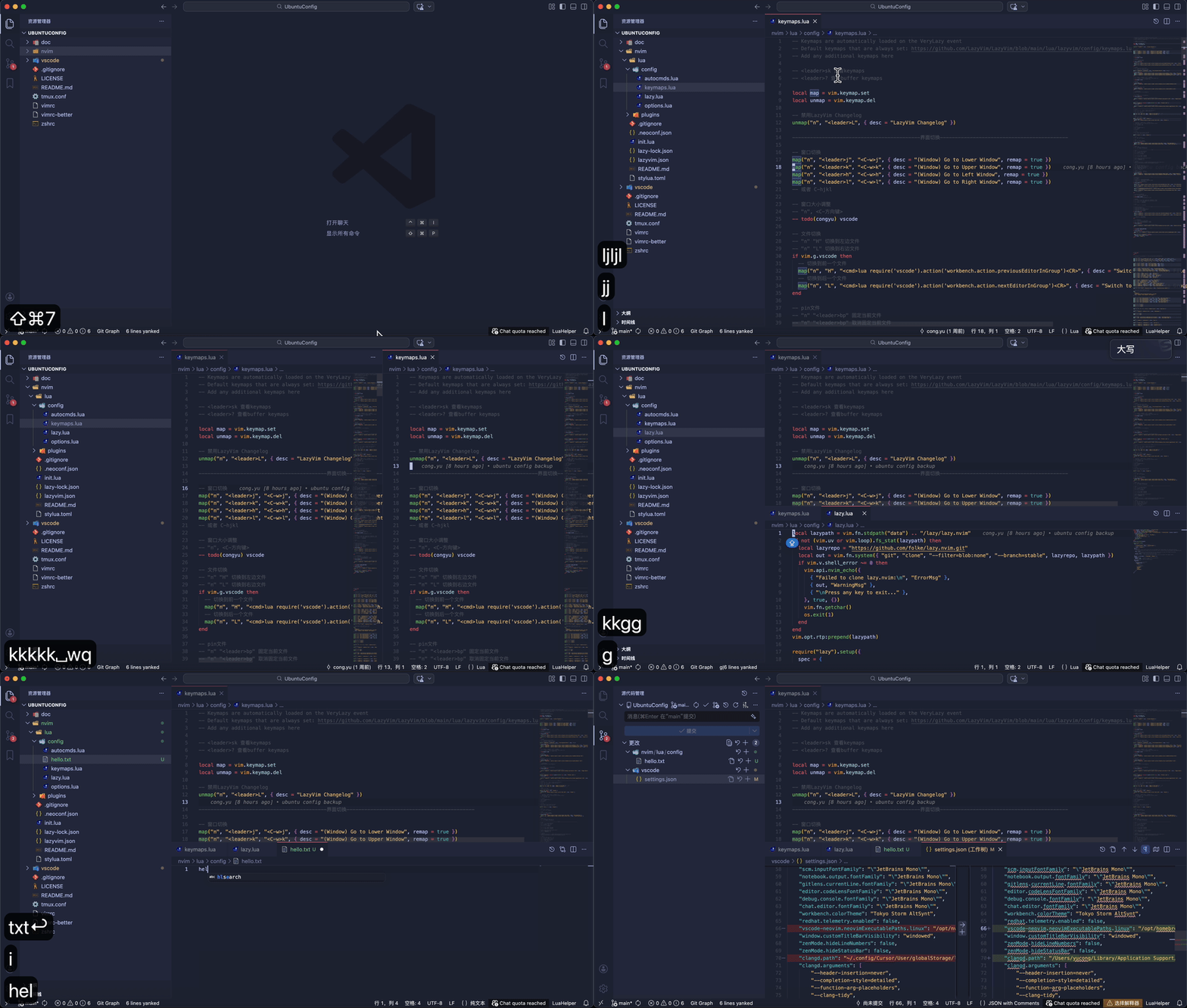
VS Code using Neovim
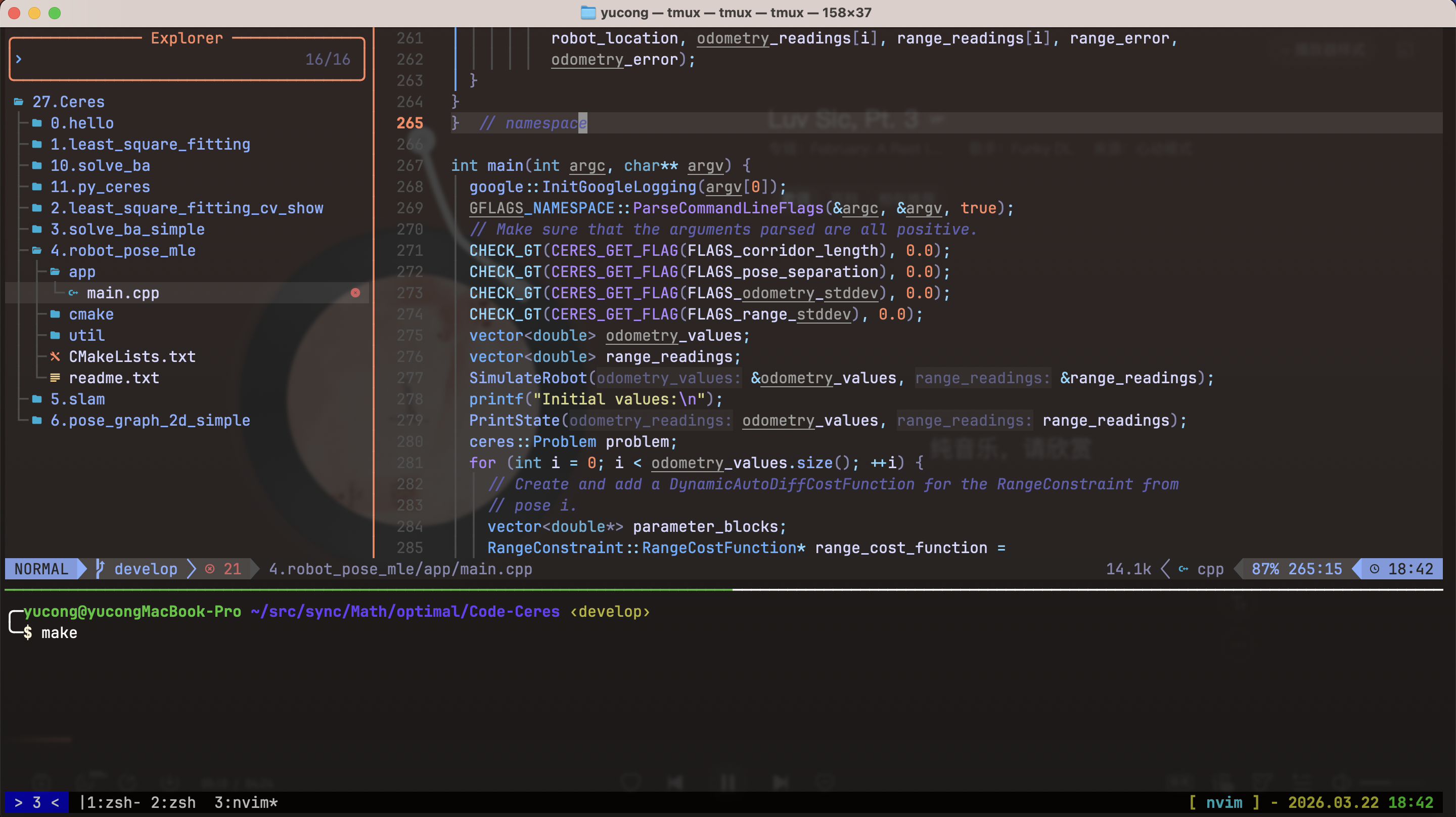
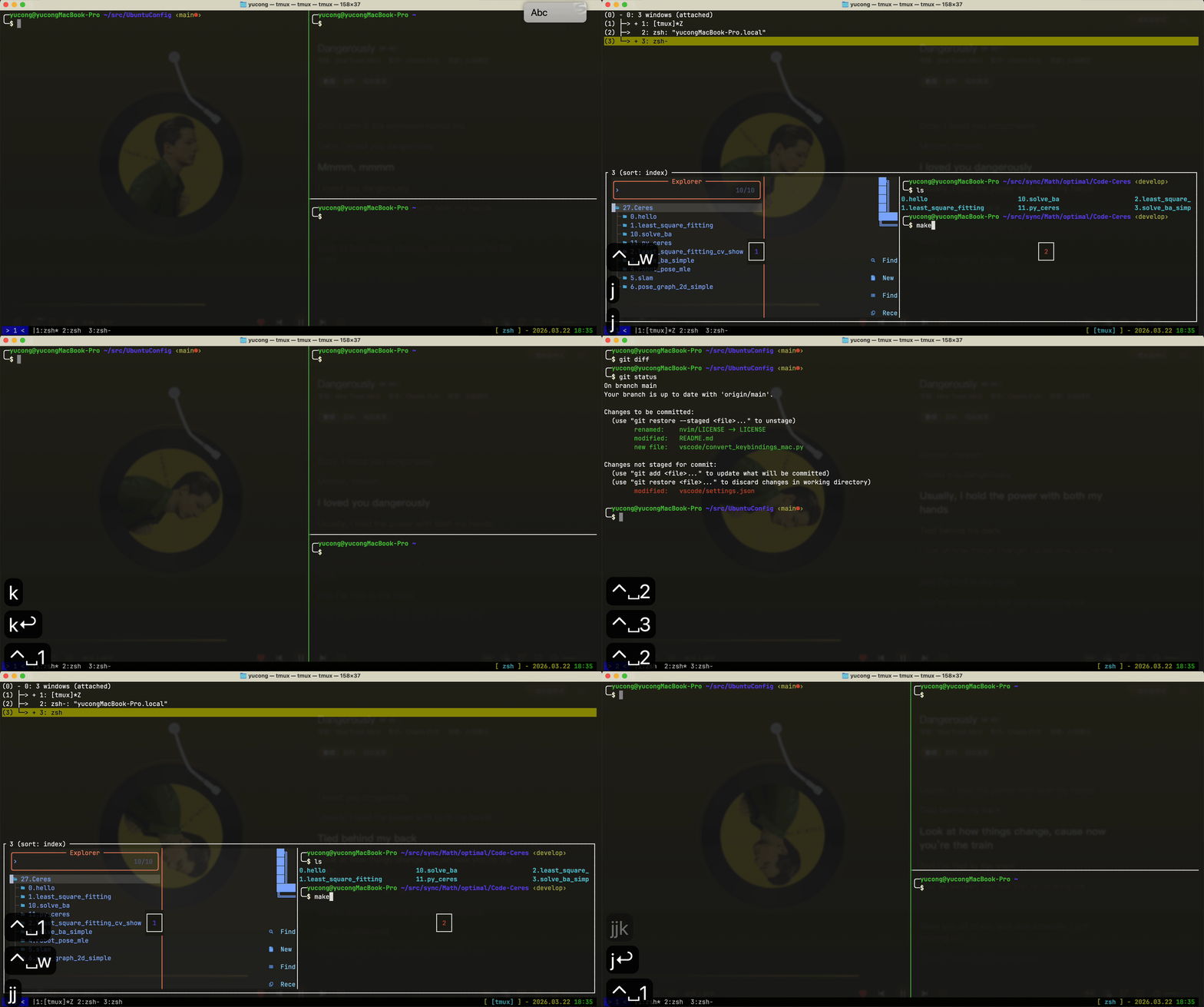
Neovim in Tmux
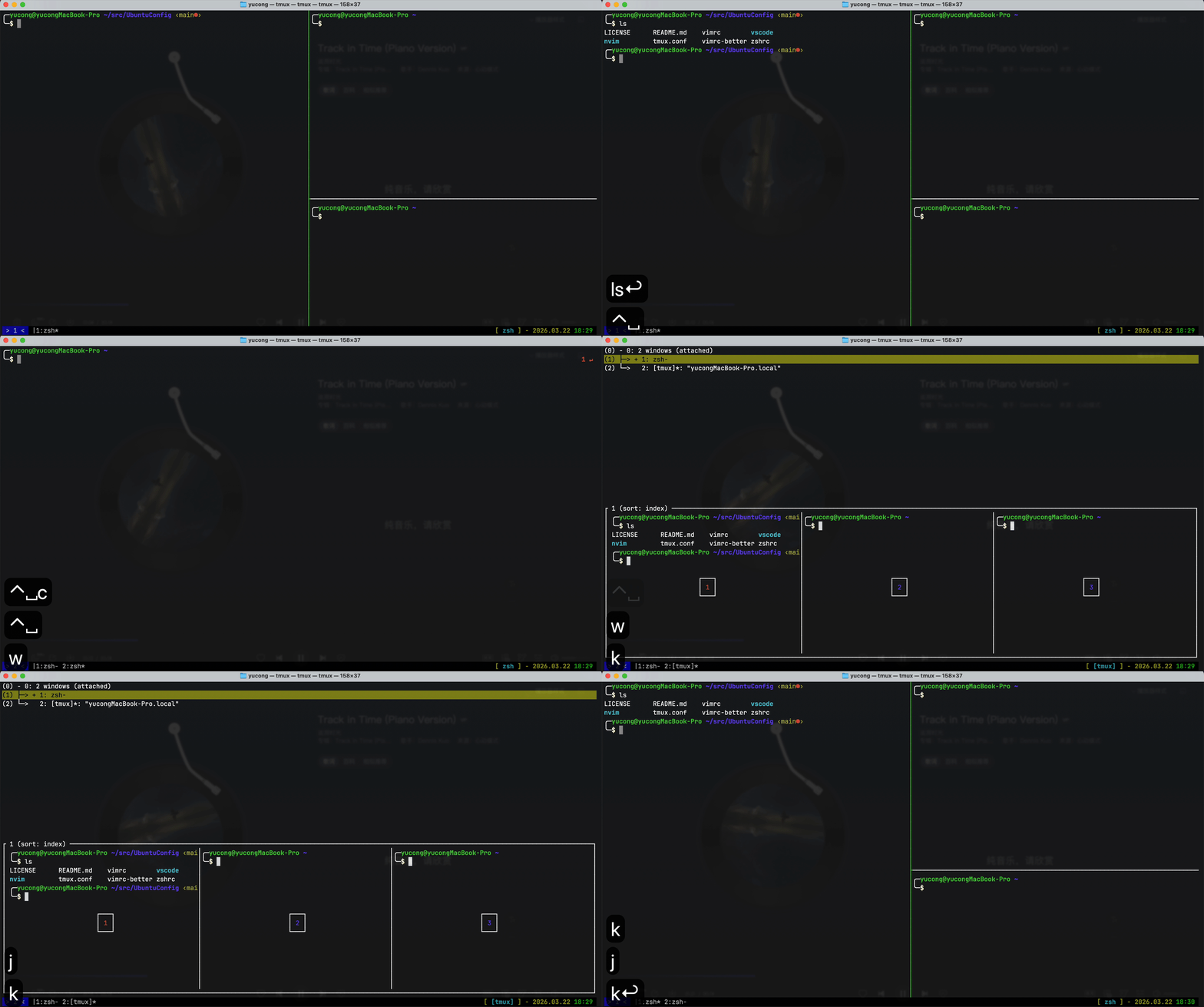
Add windows
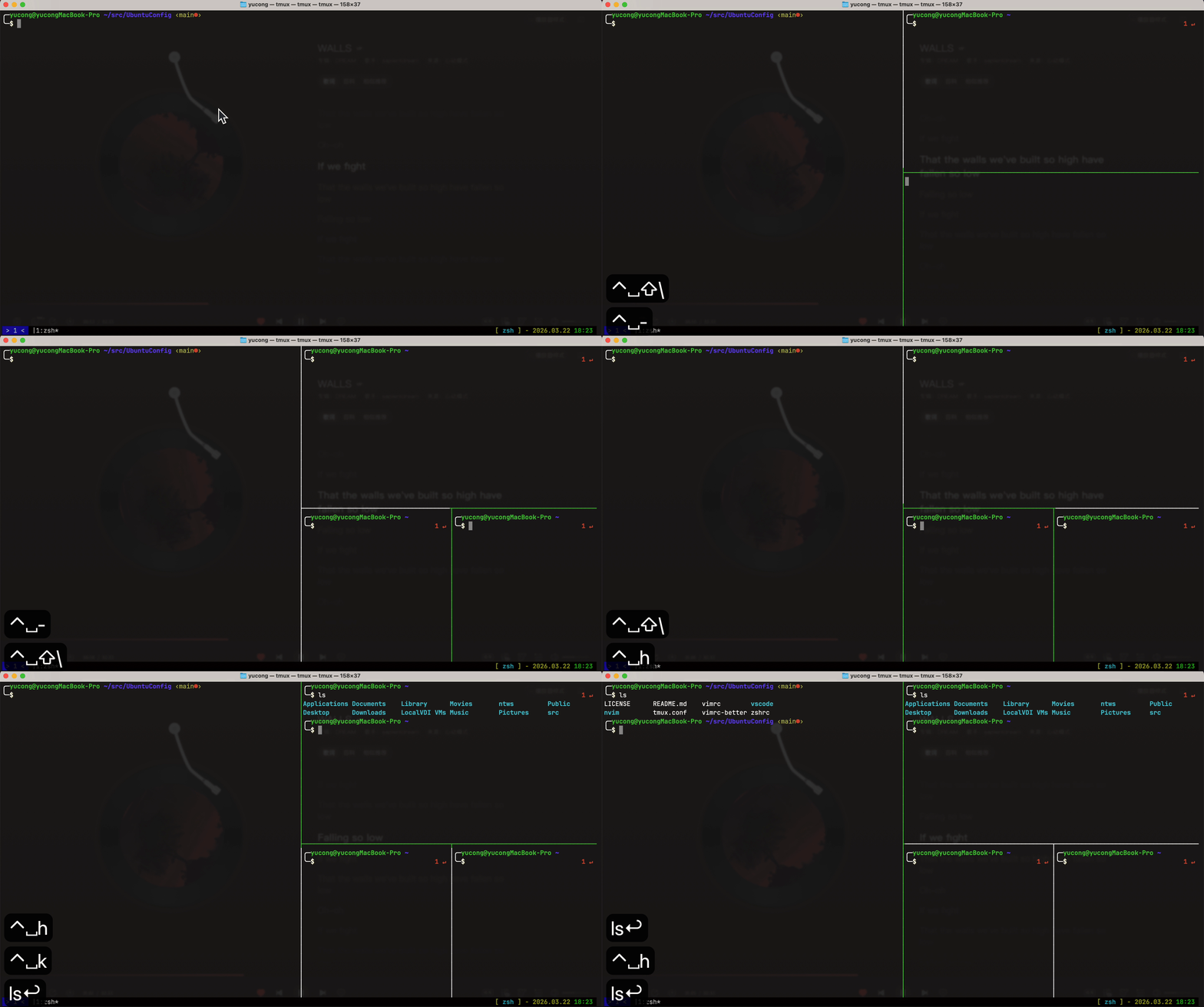
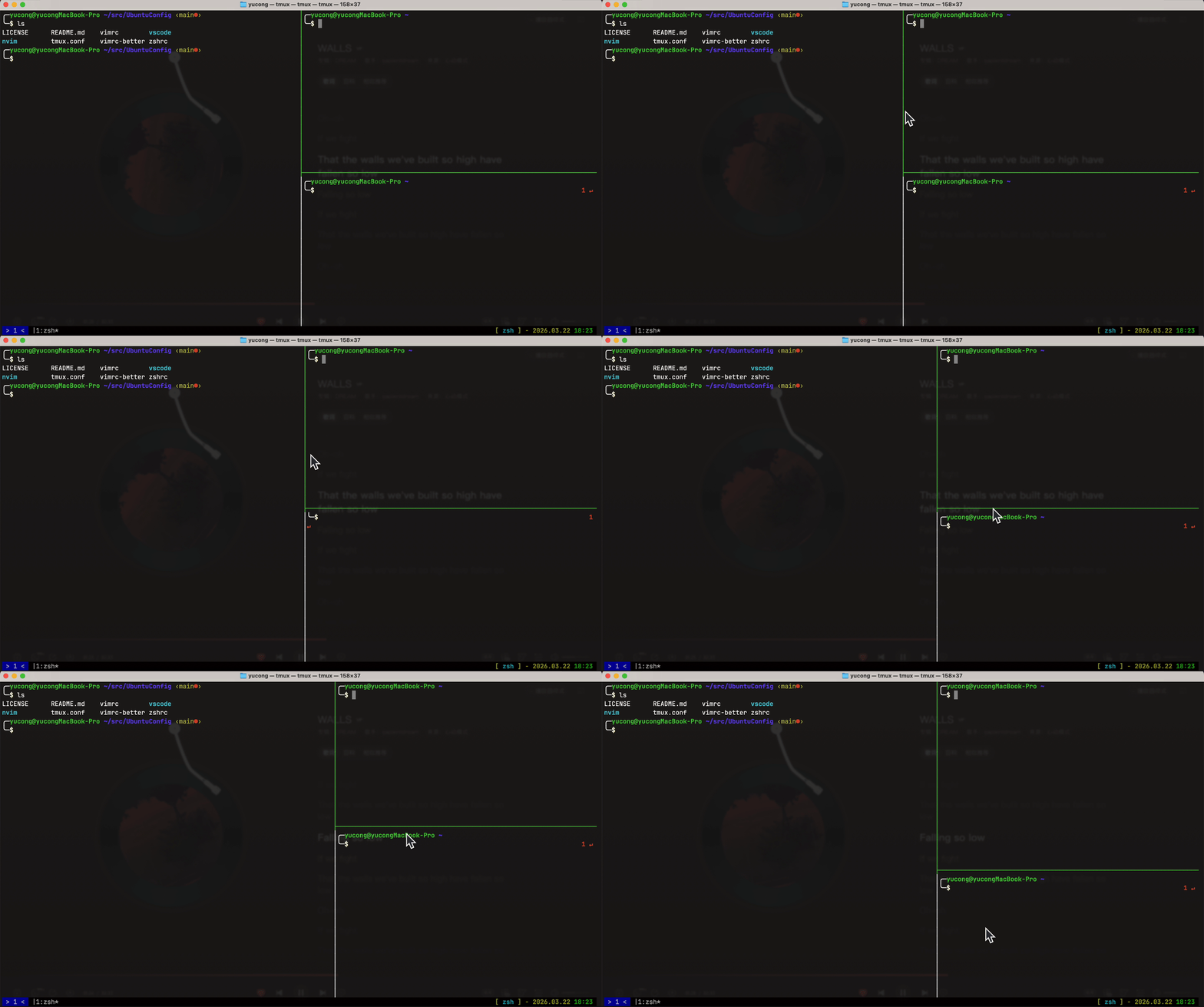
Split panes
Switch windows
Resize panes
Clone the repository:
| Branch | What you get |
|---|---|
main |
Full repository, including the doc/ folder (GIF/PNG demos for this README, on the order of tens of MiB). |
main-without-doc |
Same configuration files as main, but without doc/. Use this for a smaller, faster clone when you only need the dotfiles. |
Recommended on a new machine when you do not need local copies of the demo media:
git clone --branch main-without-doc --single-branch --depth 1 https://github.com/YuYuCong/UbuntuConfig.git
cd UbuntuConfiggit clone https://github.com/YuYuCong/UbuntuConfig.git
cd UbuntuConfigBack up any existing files you are about to replace, then symlink or copy configs.
# 安装zsh
sudo apt-get install zsh
# 安装oh-my-zsh
git clone https://github.com/robbyrussell/oh-my-zsh.git ~/.oh-my-zsh
cd ~/.oh-my-zsh/tools
./install.sh
# 部署zsh配置文件
cd <path-to-UbuntuConfig>
ln -sf "$(pwd)/zshrc" ~/.zshrc

# 安装tmux
sudo apt-get install tmux
# 部署tmux配置文件
ln -sf "$(pwd)/tmux.conf" ~/.tmux.conf
# 设置默认启动tmux
cat /etc/shells
chsh -s /usr/bin/tmux
# 重启系统生效

# Vim
sudo apt-get install vim
# 部署Vim配置文件
ln -sf "$(pwd)/vimrc" ~/.vimrc

# Neovim
sudo apt-get install neovim
# 部署Neovim配置文件
ln -sf "$(pwd)/nvim" ~/.config/nvim
# 启动nvim初始化
nvim

# VS Code
# Ubuntu
ln -sf "$(pwd)/vscode/settings.json" ~/.config/Code/User/settings.json
ln -sf "$(pwd)/vscode/keybindings.json" ~/.config/Code/User/keybindings.json
# macOS
ln -sf "$(pwd)/vscode/settings.json" ~/Library/Application\ Support/Code/User/settings.json
ln -sf "$(pwd)/vscode/keybindings-mac.json" ~/Library/Application\ Support/Code/User/keybindings.json

# fzf(模糊搜索工具)
# Ubuntu
git clone --depth 1 https://github.com/junegunn/fzf.git ~/.fzf
~/.fzf/install
# macOS
brew install fzf
$(brew --prefix)/opt/fzf/install

# thefuck(命令纠错工具)
# Ubuntu
sudo apt-get install python3-dev python3-pip python3-setuptools
pip3 install thefuck
# macOS
brew install thefuck
Neovim
This repo’s Neovim setup follows LazyVim conventions: add or override plugin specs under nvim/lua/plugins/, and editor options under nvim/lua/config/. Full documentation lives at lazyvim.github.io.
- 配置文件位置
~/.config/nvim/ - 插件目录
~/.local/share/nvim/ - 缓存目录
~/.cache/nvim/
VS Code
-
Linux-oriented shortcuts live in
vscode/keybindings.json(ctrl/alt). -
On macOS, generate a mac-friendly file:
python3 vscode/convert_keybindings_mac.py
This writes
vscode/keybindings-mac.json(mapsctrl→cmd,alt→option). Merge or copy into your editor’s keybindings JSON as needed.
Apache License 2.0 — see LICENSE.
